How To Check Ufone Number
Many users face a common and often frustrating problem. Often they forget their phone number or cannot remember their number at all. This problem is especially common among people who use multiple SIM cards or use secondary numbers infrequently. Or if they get a new SIM then they still face this problem. So if you are a Ufone SIM user who often forgets your number and is facing this problem.
Now if you are searching how to check ufone number. Because you face the problem of forgetting your number when providing it for a form, to a new acquaintance, or to link a service. This can lead to unnecessary delays, confusion, and even lost opportunities. Now if you also want to have a simple and fast way to find your number easily.
So now you don’t need to worry at all as there is a solution to this widespread problem. Ufone has provided a simple solution to ensure that users can access their phone numbers whenever needed. All details are given in this article. We have covered all things in this article. Just follow the steps that are provided below to check your Ufone number easily.

How To Check Ufone Number
Checking your Ufone number is useful for things like adding balance or sharing your contact information. It’s easy to do with your phone. This is helpful if you forget your number or need to check it. Knowing how to do this means you can quickly find your number when you need it. Follow the below steps to check your Ufone number:
Check Your Number Via USSD Code
The easiest and quickest way to find your Ufone number is to use the Ufone Number check Code: *780#. Just follow these steps:
- First of all, open the dialer on your mobile phone.
- Open keypad and dial *780# in the diary.
- Choose your Ufone sim to call.
- Then press the call button with your Ufone sim.
In a few seconds, you will see a message with your Ufone number. This simple method works for all Ufone prepaid and postpaid connections. It’s free and doesn’t require an internet connection, making it accessible anytime and anywhere.
Check Your Number Via SMS
If you prefer using text messages, you can check your Ufone number by sending an SMS. Here’s how:
- First of all Open messaging app in your mobile phone.
- Click on send message and then send a new SMS.
- Type “MYNO” (without quotes) in the message body.
- Send the SMS to 120.
- Wait few seconds.
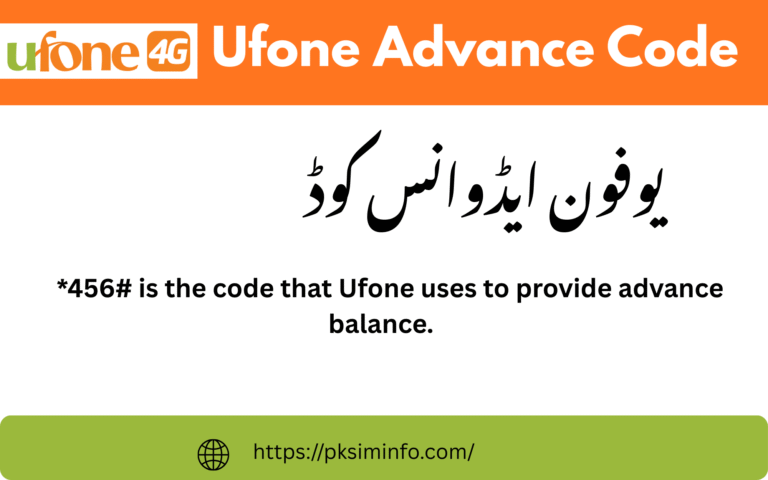
In a few moments, you will receive a reply from Ufone with your mobile number. This method is straightforward and doesn’t require an internet connection, making it convenient even if you have limited data access. It’s especially useful for those who are more comfortable sending texts rather than using USSD codes. Plus, sending this SMS is free of charge, so you won’t incur any additional costs. Ufone advance code is *456#.
Check Your Number Via SMS
If you prefer using online methods, you can check your Ufone number by visiting the Ufone official website.This method is great for those who like managing their accounts online. Here’s how:
- Open your web browser.
- Go to the Ufone website.
- Navigate to the ‘My Account’ or ‘Login’ section.
- Log in to your Ufone account using your credentials.
Once you are logged in, your Ufone mobile number will be displayed in your account information. Besides finding your number, you can also check your balance, view recent transactions, and manage your services. The website is user-friendly, making it easy to navigate even if you’re not very tech-savvy. If you don’t have an account yet, you can quickly create one by following the registration steps on the website.
Check Your Number Via Ufone Customer Service
If you encounter any issues or none of the above methods work for you, don’t worry. You can always contact Ufone’s customer service for assistance. Here’s how:
- Dial 333 from your Ufone mobile number.
- Follow the automated prompts to speak with a customer service representative.
- Request help in finding your Ufone mobile number.
The friendly customer service agent will guide you through the process and provide you with your Ufone number. In addition to finding your number, the customer service team can assist with a variety of other concerns. Whether you need help with billing, understanding your usage, or troubleshooting technical issues, they are there to help.
FAQs
What is the easiest way to check my Ufone number?
The easiest way to check your Ufone number is by dialing *780# on your mobile phone. You will receive a pop-up message with your number within a few seconds.
What should I do if I face issues with the USSD code or SMS method?
If you encounter any issues with the USSD code or SMS method, you can contact Ufone customer service by dialing 333 from your Ufone mobile. Follow the prompts to speak with a representative who will help you find your number.
Are there any charges for checking my Ufone number using these methods?
Checking your Ufone number using the USSD code (*780#) or the SMS method (sending “MYNO” to 120) is free of charge.
Can I check my Ufone number if I’m outside Pakistan?
Yes, if you are outside Pakistan, you can still check your Ufone number by using the online method via the Ufone website or by contacting Ufone customer service through their international helpline.
How can I contact Ufone customer service for further assistance?
You can contact Ufone customer service by dialing 333 from your Ufone mobile. If you are using a different network or are outside Pakistan, check the Ufone website for their international helpline number.
Conclusion
We have tried our best to define all details about how to check Ufone number. If you have need other asset feel free to ask in comment section. Whether you use the quick USSD code, send a simple SMS, log in to your account online, or contact customer service, Ufone offers various options to find your number hassle-free. These choices reflect Ufone’s commitment to making it simple for you to stay connected and manage your mobile services effectively.