How To Check Telenor Number
Now how To Check Telenor Number is made easy. If you are a Telenor customer and you can’t remember your number like me. Now you have forgotten your number or don’t know your mobile number. Or you have issued a new SIM, and now you don’t know its number. However, you may want to verify the number you are currently using. You are having trouble recharging your balance and sharing numbers with your friends and family. And now you are searching for how to check your Telenor number.
Now you don’t have to worry because Telenor has now introduced number check methods for its customers. Telenor has introduced number check codes and services for customers like us who can’t remember their number. So if you are also looking for ways to check your number then you have come to the right place. This guide explains all the ways to check Telenor numbers.
You can check your Telenor number for free by following the mentioned methods which means you don’t need balance to check your number. In this guide, there are six official ways to check Telenor numbers. With these you will be able to easily check your mobile number. To check any Telenor number you have to use one of these six easy and official methods. So let’s explore this method and check your numbers. You can also get Telenor Advance using code.
Method For How To Check Telenor Number?
There are the methods given below. Just follow these methods step by step and check your number easily and quickly.
Check Your Number Via SMS
- Open the text message app on your phone.
- Create a new message and leave the message body blank.
- In the recipient field, enter 7421 and send the message.
- Wait for a few moments.
- You will receive a reply from 7421 containing your Telenor number.
Check Your Number Via Call
If you are out of credit to send a text message, follow these steps:
- Dial 7421 from your Telenor SIM.
- Wait for the call to connect. It will automatically trigger an auto-response message.
- After a short moment, you will receive a text message from 7421.
- This message will contain your Telenor SIM number.
Check Your Number Via USSD Code
Need the quickest solution? Use the USSD code:
- First of all, Open your mobile phone and go to the dialer.
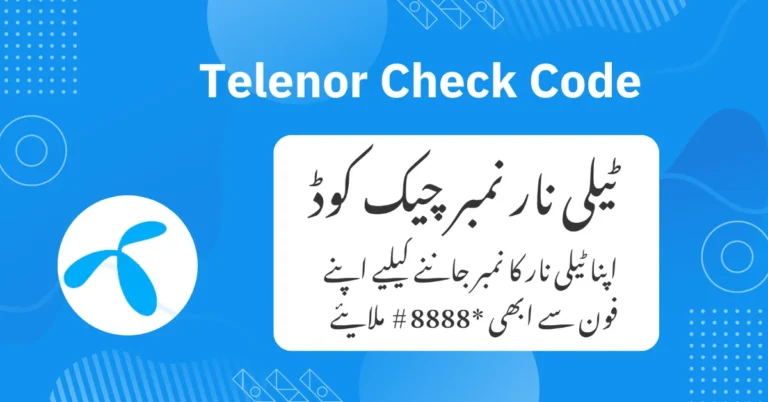
- Dial *8888# from your Telenor SIM.
- Wait a few seconds.
- Your Telenor mobile number will be displayed on your mobile screen.
Check Your Number Via App
To find your Telenor number using the My Telenor App, follow these steps:
- Open the Play Store on your phone and search for the My Telenor App.
- Download and install the My Telenor App.
- Once installed, open the My Telenor App.
- Tap on the ‘Start’ button to begin.
- Look at the home screen of the app. Your Telenor number will be displayed there. You can easily view it and write it down.
Check Your Number Via Telenor Representative
Another way to find out your Telenor SIM information is to speak directly to a Telenor representative. To do this, you will need the following:
Your name
Your CNIC (Computerized National Identity Card)
Your IMSI number (this is printed on the back of your SIM card)
Once you have gathered all the required information (your name, CNIC, and IMSI number), follow these steps:
- Dial 345 from your Telenor SIM.
- Follow the instructions to speak to a Telenor representative.
- When you are connected to the representative, provide them with your name, CNIC, and IMSI number.
- The representative will guide you through the process and ask for the information you have prepared.
- After you provide the necessary details, the representative will tell you your Telenor number.
- Make sure to write down your Telenor number so you don’t forget it.
Check Your Number Via Telenor Website
You can check your Telenor number by using the official Telenor website. Follow these steps:
- Visit the Telenor official website. You can do this by clicking on this link.
- Look at the bottom right corner of the website. You will see a dark box labeled ‘Telenor Customer Care’.
- Click on this box to open a chat with a Telenor customer representative.
- Start the chat and type your query about finding your Telenor number.
- The representative will ask for some information, such as your name, CNIC (Computerized National Identity Card), and IMSI number (printed on the back of your SIM card).
- Provide the representative with the information they ask for.
- After verifying your details, the representative will give you your Telenor number.
Remember, you should only use the SIM card that is registered in your name. Also, note that you can only have a maximum of 5 SIM cards registered under your name at a time. Just like a strong signal, Telenor and Ufone are always connecting you to what’s important
FAQs
How can I check my Telenor number using a USSD code?
To check your Telenor number using a USSD code, dial *8888# from your Telenor SIM. Your number will be displayed on the screen within moments.
What should I do if I don’t have enough credit to send a text message?
If you are out of credit, you can still find out your Telenor number by dialing 7421 from your Telenor SIM. The call will trigger an auto-response message, and you will receive a text with your number.
What information do I need to provide when contacting Telenor customer care?
When contacting Telenor customer care, you will need to provide your name, CNIC, and IMSI number (printed on the back of your SIM card).
Can I use someone else’s Telenor SIM to find my number?
No, you should only use the SIM card that is registered in your name to find out your Telenor number. You can have a maximum of 5 network SIM cards registered in your name at any time.
Conclusion
Knowing your Telenor number is important for staying connected. Whether you use a USSD code, the My Telenor App, or speak to a customer representative, Telenor provides easy ways to find your number. You can also use the Telenor website for help. Each method is simple and helps you get your number quickly. By following the steps in this guide, you can easily find your Telenor number and stay connected with others.